
























Night mode
Low-light and night photos
Hold still for a few seconds and Night mode stacks frames into one clean, bright photo.
Plus 7 extra bonuses
Bestselling Samsung Photo Course Reveals
The step-by-step method for taking photos you're proud of on any Samsung Galaxy


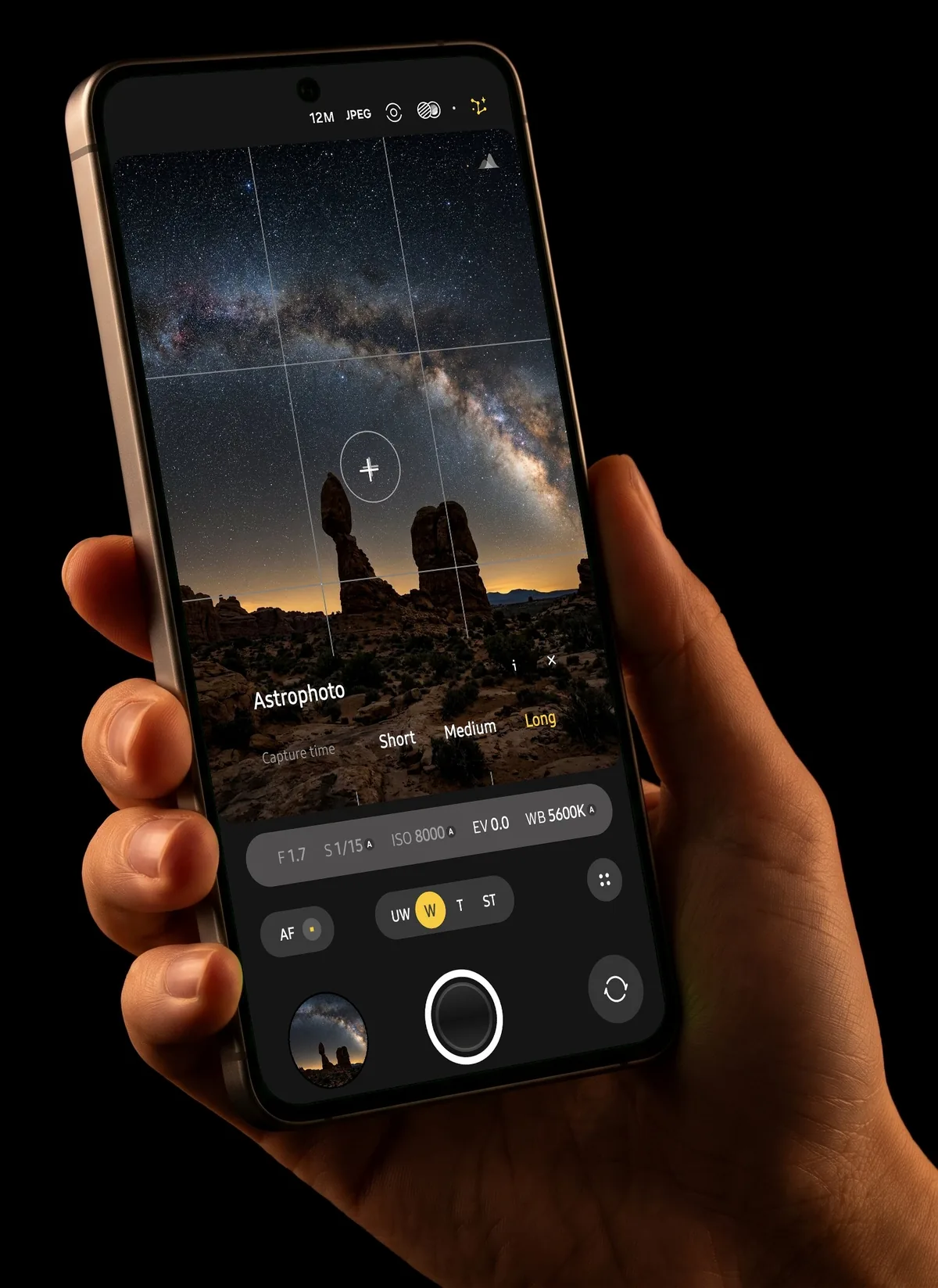
The five manual controls
Master the different lenses and features
The numbers above the shutter don't just zoom.

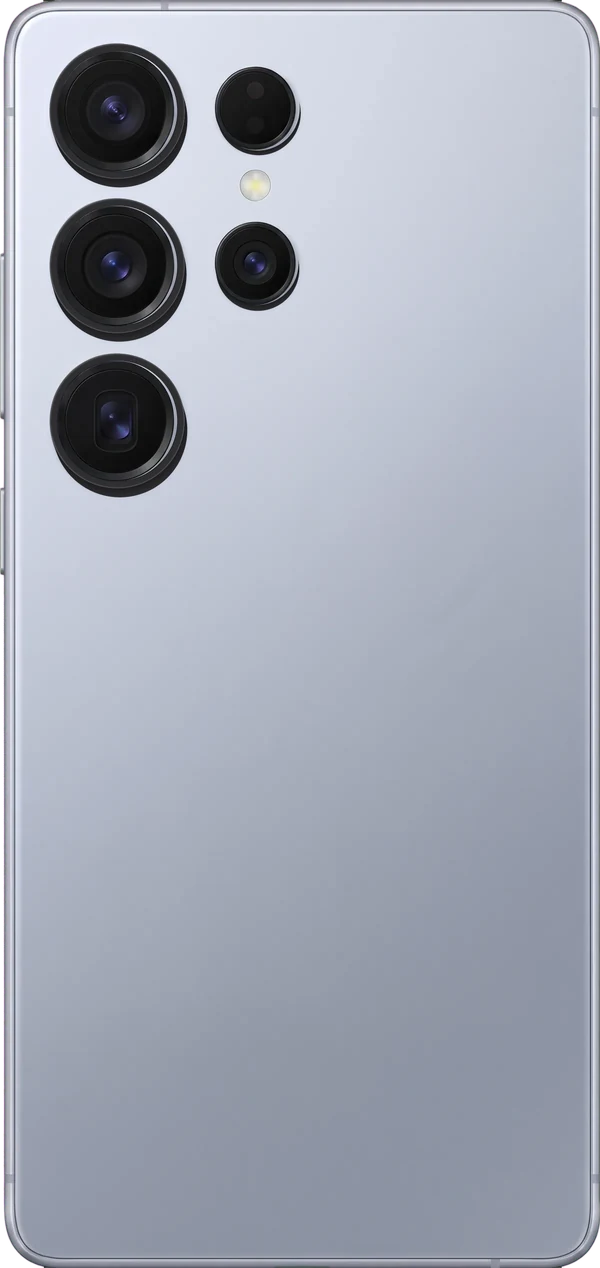
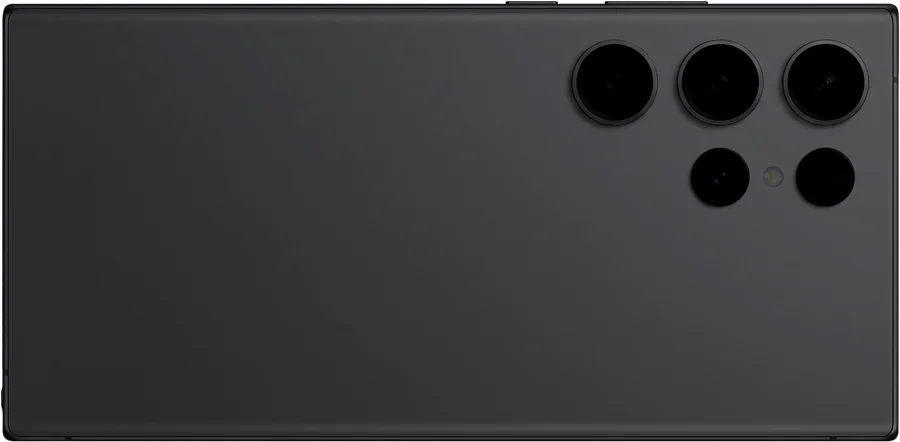
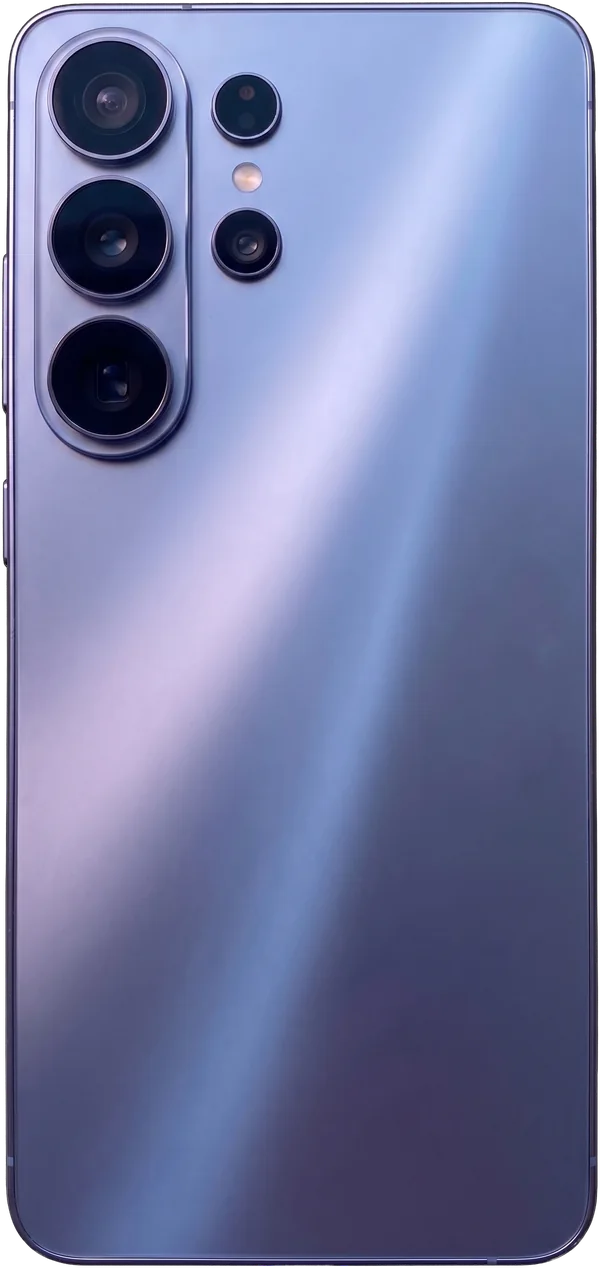
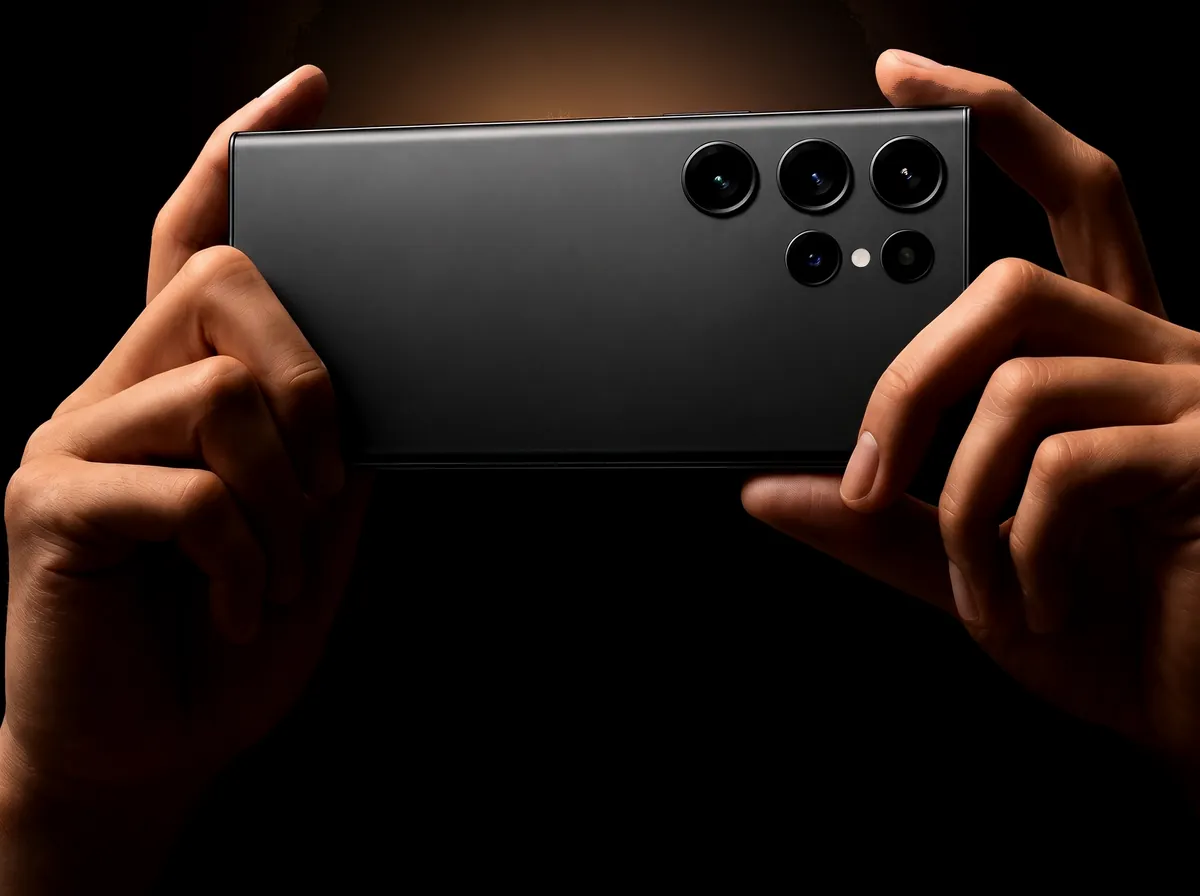
Ultra wide 50 MP · f/1.9
Big landscapes, buildings and small rooms. Keep faces away from the edges.
Main camera 200 MP · f/1.4
Your best camera, and the one for night. 2 crops into its 200 MP sensor and stays sharp.
5x telephoto 50 MP · f/2.9
Faraway details, and mountains that look bigger. 10 crops into this camera.
Selfie camera 12 MP · f/2.2
The small hole at the top of the screen. Tap the switch button next to the shutter.
3x telephoto 10 MP · f/2.4
Portraits: flattering faces and a softer background.
Tap the zoom buttons on the screen to see which camera each one uses. Other Samsung Galaxy phones have fewer cameras, but the buttons work the same way.
4 main reasons why people take average or dull photos:
Samsung camera screen with blue lines tracing the diagonal branches over a forest path
Phone ads make it look that easy, and it's only natural to believe them.
But your camera is just a tool that can take great or terrible photos.
The real secret is knowing how to apply the principles of photography with your phone.
Samsung camera screen with red composition lines drawn over the pyramids of Giza and a camel
Once you know how to take advantage of these techniques and guidelines you'll be able to take amazing photos that will rival even the best DSLRs.
Samsung camera screen with blue lines tracing the curves of a pine forest below a snowy volcano
With a few simple tips, you can start taking stunning photos that will truly impress your loved ones.
Samsung camera screen framing a child walking through a reflecting pool in St Mark's Square, Venice, in black and white
Anyone can take great photos with a little bit of practice and learning the right rules, guidelines and techniques.
Samsung Galaxy camera screen showing St Mark's Square in Venice reflected in a flooded square
A hand holding a Samsung Galaxy sideways over a puddle in St Mark's Square, with the two reflection shots it captured
Samsung camera screen framing a hiker crossing a wooden bridge below snowy mountains
Places you've travelled or beautiful moments with your friends, family or children matter!
It's a way for me to capture memories and moments that I'll never be able to experience again.
Samsung camera screen with a woman on a beach placed on a vertical third line
I spent years learning all the different composition techniques and methods to improve my photography and finally I decided to help others learn how to finally use their phone to their full potential.
The System is Fast, Simple and Can be Learned By Anyone.
Let's Do This Together!
Introducing...
A step-by-step system to master your Samsung camera without being technical... and take photos you're proud to share
Samsung Photography Academy is an immersive mobile photography course that will show you how to shoot incredible mobile photos and take you from zero to hero with simple and short 5‑7‑minute step-by-step "camera recorded" video tutorials.
Whether you're new to photography or want to improve your skills, we will help you capture the perfect shot every time.
Normally $195
Plus 7 extra bonuses
Special Offer Today Only
$195today$39USD
(or 2 payments of $25)
Secure payment: card, Apple Pay or PayPal


Take Better Photos Or Your Money Back
This is going to be the best Samsung Photography course you've ever taken, that being said If you're not happy with Samsung Photography Academy for any reason within 60 days. Just email us at support@
So it is risk-free for you to try, lock in this discount, and try the course.
Teaching Samsung photography since 2021.
Comments on our Facebook and Instagram posts, and course reviews
Ana R.
This course is excellent! I completed it a while ago, but I still go back to the videos now and then to refresh what I've learned. It truly sparked my love for mobile photography — and I've been capturing ever since!
Paula G.
Only signed up yesterday. Watched 3 short videos. Very impressive.
1Nadine W.
I took the class it is lifetime purchase and love it
Terri G.
Have recently started this and have learned so much. Love this class
Robin M.
It is a great course. Definitely upgrades your shots.
Zsuzsánna B.
Super course. Thank you.
Justine H.
I am in the process of doing this course and it is well worth the money. Do at your own pace and learn so many new things to take much better photos.
Julia W.
I have just started this course and was very sceptical at first but it is sooooo informative and goes at a pace that we can all manage. Loving it 😍
Hayley P.
Just started the course today. It is very informative and the videos are great
Jennifer N.
I did this several years ago. Amazing tips
7Heather P.
I too am in the midst of this course. Fabulous course.
vickivsn
Only two lessons in and in quite thrilled. Thanks!
Timothy B.
I took this online class. Well worth it. Lots of good info is shared by the guy that did the videos. About seventy different videos. All five minutes or under
Radoslava P.
This is one of the best purchases I've ever made. Highly recommend it.
3mweisenburger
Just started the course today. I've learned some new tactics in the first video.
Suzanne M.
Now going over the lessons. Learning a ton.
Connie U.
Just started the course- really informative!
1Colette H.
Since doing this course. And I'm prob 2 thirds thru, I am seeing things differently- seeing photographic opportunities where I may not have before. Looking forward to the chance to put it to practice
JoMarie D.
This is a great course to take! It was really informative and has such great tips. A must for people who, like me, buy their Samsung for the camera capability!
2Mark Y.
This is course is excellent, I'm currently doing it & am gaining a new appreciation for what consitutes a great photo. 📷
Lea A.
Very good course. Enjoyed it a lot and learned a lot!!! Thank you.
Suzanne O.
I am loving the course so far..
1Meet your teacher
A sunset. The family together. The view from a trip. Then you look at your phone, and it's just not the same. So the camera stays on Auto.

I'm Justin, and I know that feeling. When I started shooting on a Galaxy S10 in 2019, what I saw in front of me looked amazing, and my photos came out flat.
So I learned to use the camera properly. But the biggest lesson wasn't the phone.
It's not so much about the camera. It's how you use it.
Before the Academy I worked as a teacher in a different field. I filmed the course over several years, out on the trails and on my travels, in 100+ locations in 12 countries. I record straight from the camera screen, so you can follow every tap.
Since 2021, more than 47,000 students have learned with Samsung Photography Academy.

Watch a short lesson
About five minutes, recorded on a Samsung Galaxy camera screen.
Try it on your own Galaxy
The principles work on any Samsung model.
Come back any time
Rewatch any lesson whenever you need a reminder. Your access is for life.
Next time the view is amazing, the photo will be too.
My goal is simple: help you take photos you're proud of with the Galaxy you already own, without the jargon.
Good photography works the same on every camera. Menus move around a little between One UI versions, but light, composition and timing don't change, so what you learn on today's phone still works on the next one.
I spent many years creating a simplified framework for the Samsung mobile photography experience
The course is built on four parts. Every lesson is recorded on a Samsung Galaxy camera, so you see exactly what to tap, then you go and try it.

Composition lines drawn on the camera screen, from the Structure lessons.
Eleven kinds of photo your phone can already take, and the camera mode behind each one. The course shows you how, one five-minute lesson at a time.
Hold still for a few seconds and Night mode stacks frames into one clean, bright photo.

A slow shutter turns rushing water into soft silk, even in daylight.

Seconds-long exposures draw car headlights into ribbons of light.

Astrophoto mode keeps the shutter open for minutes to bring out the Milky Way.

Expose for the bright sky and your subject becomes a bold, dark shape.

The short spell of deep blue light after sunset makes city lights glow.

Blend two or more shots into one frame, right in the camera.

On the Ultra models, 200 MP keeps enough detail to crop deep into a view.

A fast shutter freezes the moment, and burst catches the one frame you want.

Get close enough to see a dewdrop's reflection, without extra lenses.

The telephoto lens brings a far-off subject closer and makes the background look bigger.
Modes and resolutions vary by model; the course shows what your Samsung Galaxy has.


Every technique is shown on a real Samsung Galaxy camera screen, so you can copy it step by step.
A 4-part framework for composition, subjects, light and real situations, that works on any Samsung Galaxy.
66 video lessons and 6 h 28 min of teaching, including the two bonus modules.

Give every photo a strong structure

Choose, frame and angle your subject

Understand light and use it

Photography in everyday life
Worth $347 on their own.
50 MPUltra wide
200 MPMain camera
50 MP5x telephoto
12 MPSelfie camera
10 MP3x telephoto
The Samsung Galaxy features most people never use: Night mode and night selfies, the ultra-wide, wide and telephoto lenses, 100x Space Zoom, Macro, Panorama, HDR, tracking autofocus and Samsung's AI editing tools.
$97 value
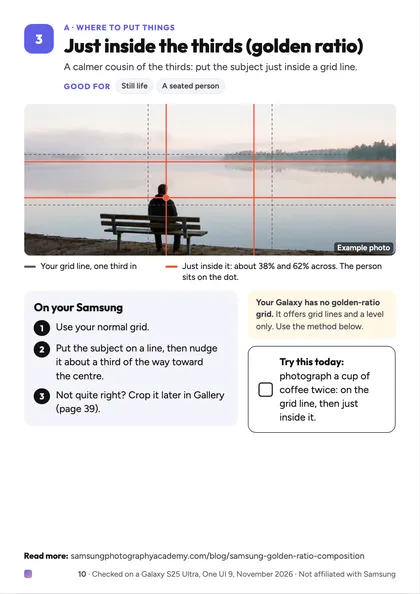
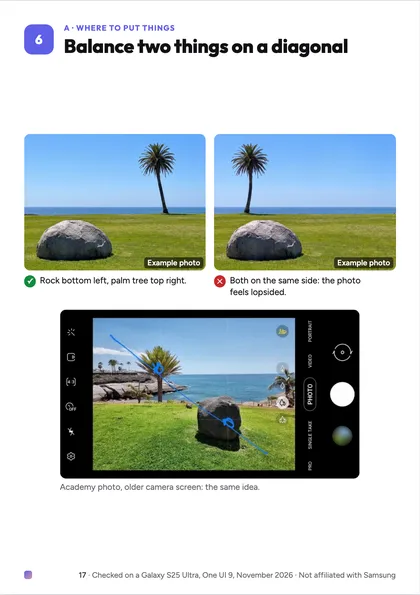
20 ways to frame a better photo on your Galaxy, each with the exact button to press, an example photo and a task to try today.
$39 value


Blurred waterfalls, night light trails and clean low-light photos: the ISO, shutter speed and white balance settings behind each shot.
$97 value
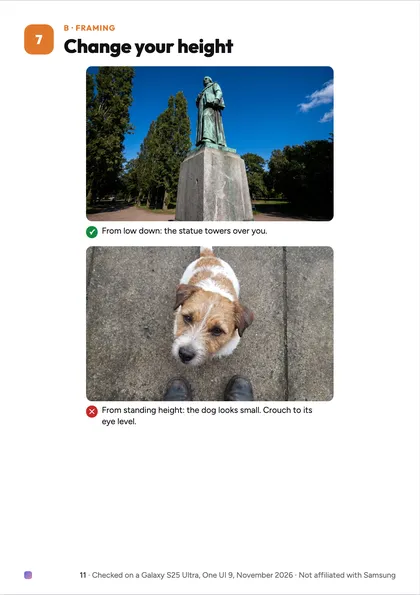
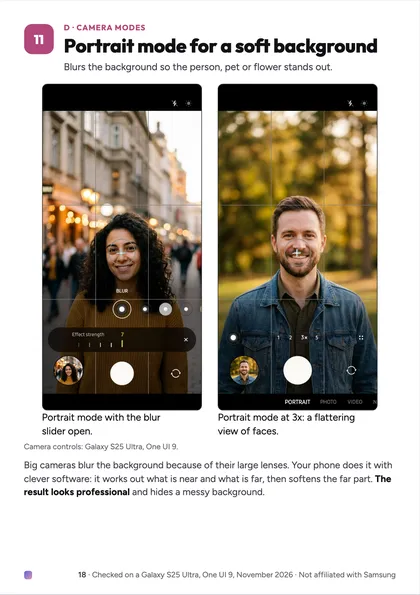
Twenty quick tips you can try on your Samsung Galaxy today, each with the exact buttons to press and a real example.
$27 value
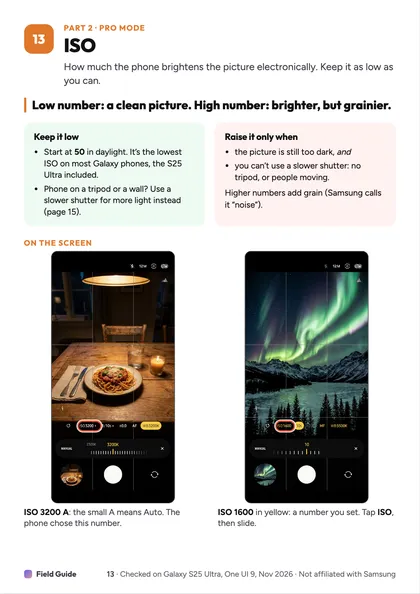
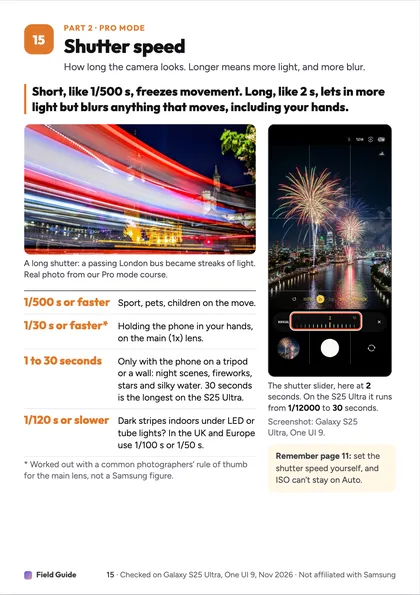
Take control of your Galaxy camera: which mode to use, every setting in plain words, and the exact settings to start from.
$39 value
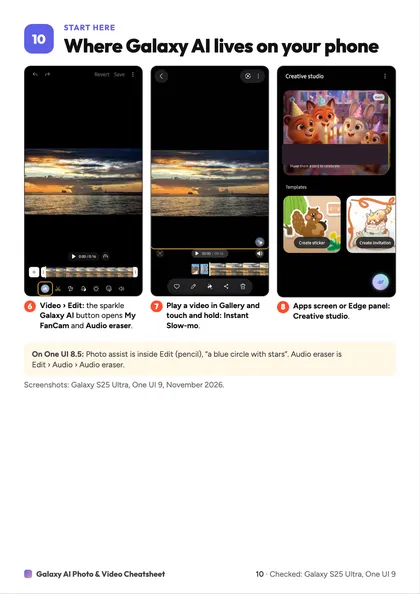
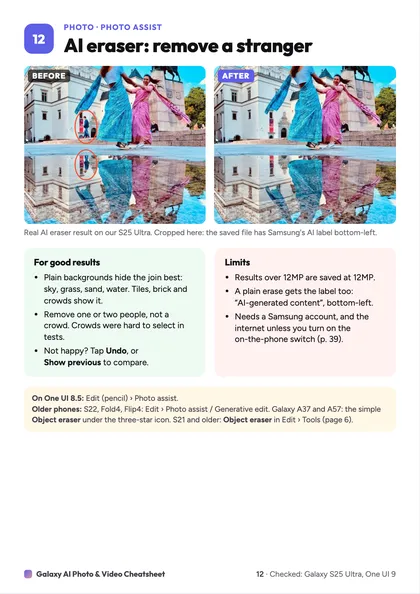
Remove, fix, restyle and rescue your photos and videos with Galaxy AI, step by step, with real Samsung screenshots.
$29 value
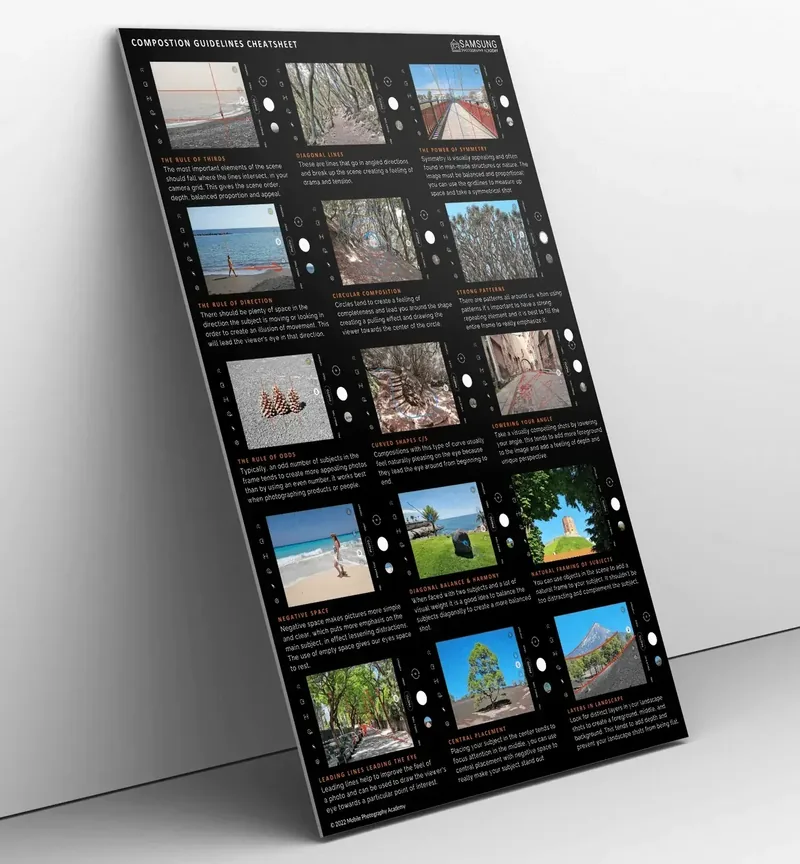
All 15 composition guidelines on one page, each with a real camera screen. Print it in colour or in ink-saving black and white, or keep it on your phone.
$19 value
Total Value: $542
When You Join Samsung Photography Academy Today!

Learn by watching my Samsung camera screen - lessons recorded straight from the camera screen, so you see exactly which buttons to press and why
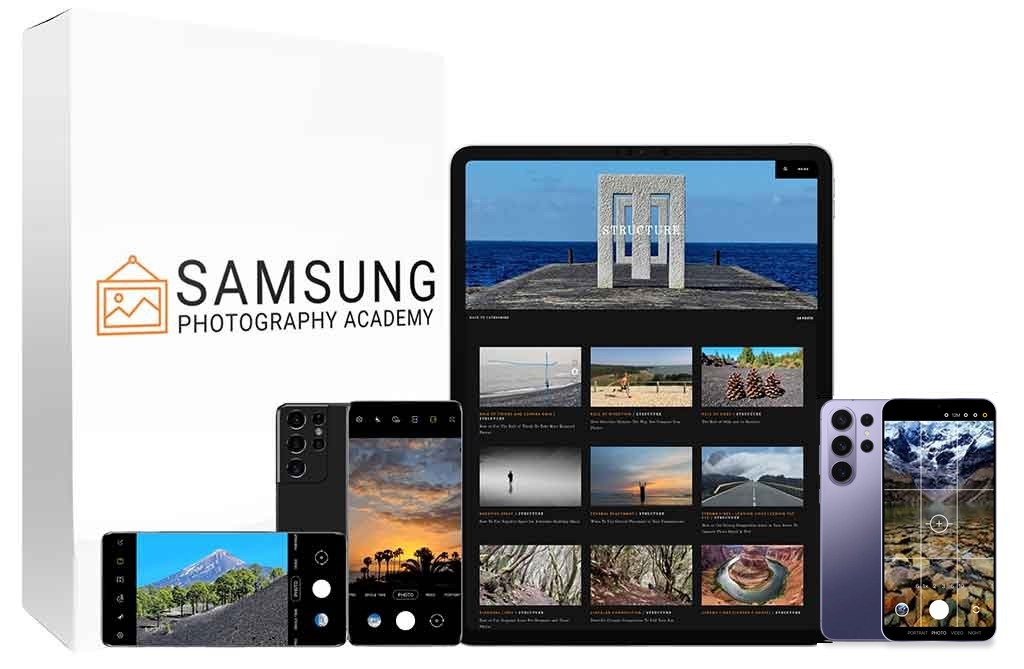
Made for every Samsung Galaxy
Total Value: $542
When You Join Samsung Photography Academy Today!
Normally $195
Plus 7 extra bonuses
Access to Samsung Photography Academy · 39 lessons($195 value)
Total Value: $542
Today's Price:
Normally$195today$39USD
(or 2 payments of $25)
Secure payment: card, Apple Pay or PayPal
By the end of this course, you will take better Samsung photos or you can have your money back!
Try the whole course for 60 days. If you're not happy with Samsung Photography Academy for any reason, email support@
This class exceeded my expectations!
“I love this class. I have seen a lot if improvement in my photos over just the past few weeks. I love how each principle is broken down into easily digestible lessons. I have not been overwhelmed at all. It has also inspired me to learn more. I wish this teacher had more classes.”
“Just subscribed yesterday, and as soon as I had access, there is so much to learn. I loved photography since high school but never really got serious and had no time and quick access to a camera. 🥰now a retiree, I can push thru the passion I have long delayed. Thank you samsung for being there to help me hone to what little experience and experiments I had.
My first challenge had arrived today🥰”
“I bought this course a couple of years ago when I bought a S22 Ultra. Great investment. I now have S25 Ultra. Great photos with each and I learned so much about composition. Good investment in the course”
“I bought this course it is really very good. I have learnt so many things about photography and the camera in my Samsung s23 ultra. The sessions don't run very long which is perfect. You can watch one when you get a few moments spare or rematch one when you are in a situation that it applies to. There are lots of sessions it is perfect and very reasonably priced for what you get.”
“It's worth it! I've been through the whole course rather quickly but we have it for a lifetime and can go back to it over and over again. I got it mainly for the camera settings and Justin covers that very well with tips and 'secrets' I would never have known. I am going to have to go back and really understand the RAW settings better because I want to start shooting in RAW and know what I'm doing. I've taken mobile photography courses in the past and this one covers everything you need to know, in my opinion, and is totally worth it. Its well organized with lots of good tips and essential things in photography to lnow about. Money well spent and priced right.”
“Best money I've spent in a long time. I have learned so much about how to operate my new Samsung Galaxy S24 Ultra. The camera in this phone surpasses any and all of the 4 35mm cameras I've owned over the years. Can't say enough good things about this phone and the Samsung Photography Academy!”Option 1
Option 2
The step-by-step method for taking photos you're proud of on any Samsung Galaxy
By the end of this course, you will take better Samsung photos or you can have your money back!
Plus 7 extra bonuses
60+ five-minute lessons · lifetime access · 60-day money-back guarantee
Anyone with a Samsung Galaxy who wants to take better photos, quickly. It's a simple step-by-step system for composition, light, subjects and the camera's settings and features.
Every lesson is recorded on the Samsung camera screen, so it's easy to follow and copy.
You're in good company: most of our students aren't. The course is deliberately non-technical, with step-by-step explanations and recordings of exactly what to tap.
If you get stuck, ask a question under any video.
That's fine. Every skill in photography can be learned, and the course doesn't need any talent or experience.
Follow the short lessons step by step and try each technique on your own phone. Practice is what makes the difference, and if the course doesn't help you take better photos, the 60-day money-back guarantee has you covered.
You don't need the newest model. The principles behind great photos work on any Samsung Galaxy: it's how you use the camera that matters, not the camera itself.
For the four core modules, your Samsung phone is all you need. Most lessons are recorded on a Samsung Galaxy camera screen, so you see exactly what to tap.
A tripod, or anything that keeps the phone still, helps with blue hour, night shots, 100x zoom and the long-exposure lessons in the PRO Mode bonus. The daylight long exposures use a clip-on ND filter, which the digital ND filter in Expert RAW can replace on phones that have it.
It's a self-paced online course in four modules, plus the bonus modules. Each module is a series of short videos of about five minutes, recorded on a Samsung Galaxy Ultra camera screen so you see exactly what I'm doing.
The lessons are short: a typical one takes about five minutes. The four core modules run to just under three and a half hours, and to about six and a half hours with the two bonus modules.
There's no deadline and no schedule. Watch a lesson or two whenever it suits you, and go back to any of them as often as you like.
For life. Watch at your own pace, over days, weeks or months, and come back to any lesson whenever you like.
Yes. The course runs in your web browser, so you can watch on your phone, tablet or computer, whenever and wherever you're online. You log in with the details we email you after checkout.
The lessons stream online, so you need an internet connection, and Wi-Fi works best if your signal is weak. The videos can't be downloaded, but the PDF bonuses, like the composition cheatsheet, can.
You don't have to make the final decision now. Try the course, see if you like it, and then decide.
If you're not happy for any reason within 60 days, email support@
Yes. You'll learn to get the most from the camera you always have with you, and the composition lessons apply to any camera.
Payments go through Stripe, a well-known secure card processor, or PayPal if you prefer. Card details are handled by Stripe or PayPal, and we never see your full card number.
You pay $25 when you order, and the second $25 is charged automatically one month later. There are no more payments after that.
Your access starts after the first payment. In total it's $50, compared with $39 if you pay in one go. VAT is added to both where it applies.
The course is made for Samsung Galaxy phones, and the lessons show Samsung's camera app. The principles of a great photo are the same on any phone or tablet, though.
Eight: English, Spanish, Portuguese, French, German, Arabic, Hindi and Bahasa Indonesia.
Some lessons have subtitles, in English and several other languages. Tap CC on the video player to turn them on, or choose a language in the player's settings.
Not every lesson has them yet, so if you rely on subtitles, please keep that in mind.